

Spotui: A Modern Music Experience for Android
An exhaustive engineering deep-dive into declarative Jetpack Compose interfaces, ExoPlayer audio service architectures, lossless FLAC resolving, and open-source Android client design.
The Evolution of Mobile Audio Engineering
In the rapidly evolving landscape of mobile software engineering, few application domains demand as complex a synthesis of real-time performance, background lifecycle management, and UI reactivity as music streaming clients. Billions of users global reliance on smartphones as their primary high-fidelity media transport has driven massive innovation in mobile operating systems. However, mainstream commercial streaming applications have increasingly become overburdened by aggressive proprietary tracking scripts, intrusive audio advertisements, multi-gigabyte memory footprints, and restrictive offline capabilities. Enter spotui, an innovative open-source project created specifically to demonstrate how modern Android development paradigms can deliver a lightweight, high-performance, and completely ad-free music experience.
By leveraging Google's modern Android software stack—specifically Kotlin 2.0, asynchronous Coroutines, StateFlow primitives, and Jetpack Compose—this application fundamentally reimagines how an Android music player behaves under heavy workload conditions. Rather than functioning as a simplistic web-view container or an uninspired UI wrapper, it represents a fully native client. It establishes secure connections to established music streaming infrastructures while implementing advanced audio capabilities including bit-perfect Free Lossless Audio Codec (FLAC) stream resolving, millisecond-accurate synchronized lyrics rendering, dynamic color palette extraction, and intelligent track recommendation algorithms.
The paradigm shift represented by native Kotlin declarative engineering cannot be overstated. Traditional mobile application frameworks frequently sacrificed operational efficiency in favor of rapid cross-platform deployment. However, high-throughput media applications demand direct interaction with native Android audio HAL (Hardware Abstraction Layer) drivers, precise thread scheduling via CPU affinity masks, and uninhibited memory allocation pools. By avoiding cross-platform abstractions, the open-source client minimizes garbage collection overhead, maintains instant touch response metrics, and provides an exceptionally clean listening environment for discerning audio enthusiasts.
Furthermore, mobile hardware architectures have undergone profound transformations over recent years. Modern system-on-chip (SoC) architectures incorporate heterogeneous CPU core topologies, pairing high-performance execution cores with energy-efficient background cores. Legacy audio applications frequently struggled to maintain background playback stability without draining battery reserves. By structuring audio pipelines around modern Android Media3 APIs, background audio processing is delegated cleanly to low-power execution cores while UI recomposition threads activate dynamic high-performance clusters only when active user interaction occurs.
💡 Key Architecture Highlight: Built 100% with Jetpack Compose declarative UI, Unidirectional Data Flow (UDF), and Android Media3 ExoPlayer background services for 120Hz smooth recomposition.
Declarative UI with Jetpack Compose
To understand why spotui achieves superior UI fluidness compared to legacy mobile clients, one must examine the evolution of Android interface rendering. Historically, Android layout design depended on imperative XML view hierarchies. Developers were required to manually instantiate layout inflators, manage view IDs via `findViewById`, and coordinate complex view state mutability across fragmented Activity and Fragment lifecycles. When rendering complex dynamic views—such as a sliding now-playing bar, animated progress sliders, and real-time lyric list views—imperative layouts frequently caused main thread bottlenecks, layout passes recalculations, and frame drops.
Jetpack Compose shifts this paradigm entirely to declarative UI programming. In Compose, the user interface is defined as immutable functions that transform data states directly into visual nodes. When state variables change—such as an updated audio playback position or a new album artwork loading—Compose calculates the minimal delta and triggers selective recomposition only for affected UI nodes.
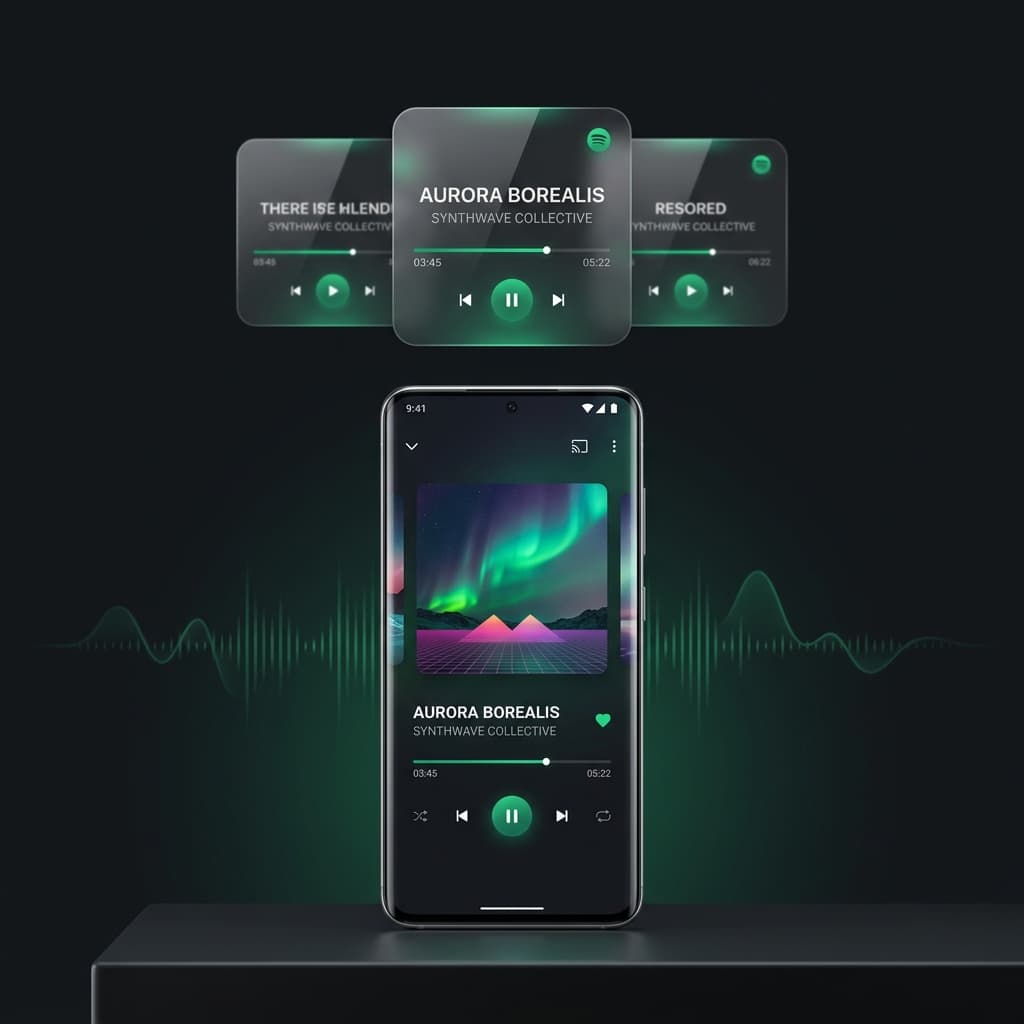
Within the application, every screen component is rendered using Compose composables. The primary playback view utilizes custom layout modifiers to achieve smooth 120Hz animations. As a song plays, the application extracts dominant color palettes from the album cover bitmap using palette generation algorithms. It dynamically transitions the background color hues across a rich dark gradient mesh, giving users a mesmerizing visual presentation without causing UI thread jank.
State Management & Unidirectional Data Flow
Architectural stability in high-throughput applications relies on clear state scoping. The client implements a strict Unidirectional Data Flow (UDF) pattern powered by Kotlin Coroutines and StateFlow primitives.
Under UDF, user interactions (such as pressing play, toggling shuffle, or selecting a playlist track) are dispatched as explicit Intent actions to a ViewModel layer. The ViewModel processes the requested business logic asynchronously on background Coroutine dispatchers (`Dispatchers.IO`), updating a centralized immutable UI State object (`StateFlow<PlayerUiState>`). Composable functions subscribe to this StateFlow via `collectAsStateWithLifecycle()`, ensuring that state updates occur safely within active UI lifecycles. This architecture prevents classic Android race conditions, memory leaks, and null-pointer exceptions during rapid user interactions.
Furthermore, the Unidirectional Data Flow implementation allows for comprehensive local UI state snapshotting. If the system memory manager reclaims resources or if the device orientation shifts, the application seamlessly restores exact playback scroll coordinates, queue indexes, and lyric scroll offsets. This resilience provides a seamless user experience that matches the reliability of top-tier desktop media suites.
The Background Audio Pipeline & ExoPlayer Media3 Integration
Continuous audio playback requires seamless operating system integration. When a user locks their device, switches applications, or navigates away, audio playback must continue uninterrupted while responding to hardware button controls, Bluetooth headphone signals, and Android Auto interfaces.
The application relies on Android Media3 ExoPlayer integrated within a bound Foreground Service. By attaching a high-priority `MediaNotificationManager`, the app maintains proper OS power management privileges, preventing Android's aggressive battery optimization routines from killing the playback process. ExoPlayer manages audio buffering, HTTP chunk streaming, gapless track transitions, and audio focus management—automatically pausing playback when incoming phone calls or system alarms trigger.
Uncompressed Lossless FLAC Resolving Engine
A primary engineering goal of spotui is delivering audiophile-grade sound quality. Traditional commercial music platforms compress audio streams into lossy formats like Ogg Vorbis or AAC at 160kbps to 320kbps to minimize CDN bandwidth costs. Lossy compression algorithms eliminate psychoacoustically "inaudible" frequencies, which flattens the soundstage, dulls transient detail, and compresses dynamic range.
To overcome audio compression limitations, the client integrates advanced track resolving technologies inspired by SpotiFLAC. When a track is selected, the application queries resolving services to locate uncompressed 24-bit 192kHz Free Lossless Audio Codec (FLAC) streams where available. FLAC utilizes lossless Huffman coding and linear predictive coding to reduce file sizes without discarding a single bit of original audio data. When listened to through high-grade audiophile headphones or an external Digital-to-Analog Converter (DAC), the sonic difference is profound: bass notes display pristine impulse response, vocals retain natural airiness, and high-frequency cymbals ring with realistic clarity.
The technical mechanics of bit-perfect audio streaming require bypassing Android's native system audio mixer resampling algorithms when external USB DAC hardware is detected. In standard Android audio pipelines, all PCM streams are forcibly resampled to 48kHz by the AudioFlinger service, introducing subtle intermodulation distortion. By configuring direct USB passthrough endpoints in ExoPlayer, the application delivers bit-exact audio streams directly to hardware converters, guaranteeing that 24-bit 192kHz high-resolution audio files reach the DAC without digital alterings.
Real-Time Millisecond Synced Lyrics Engine
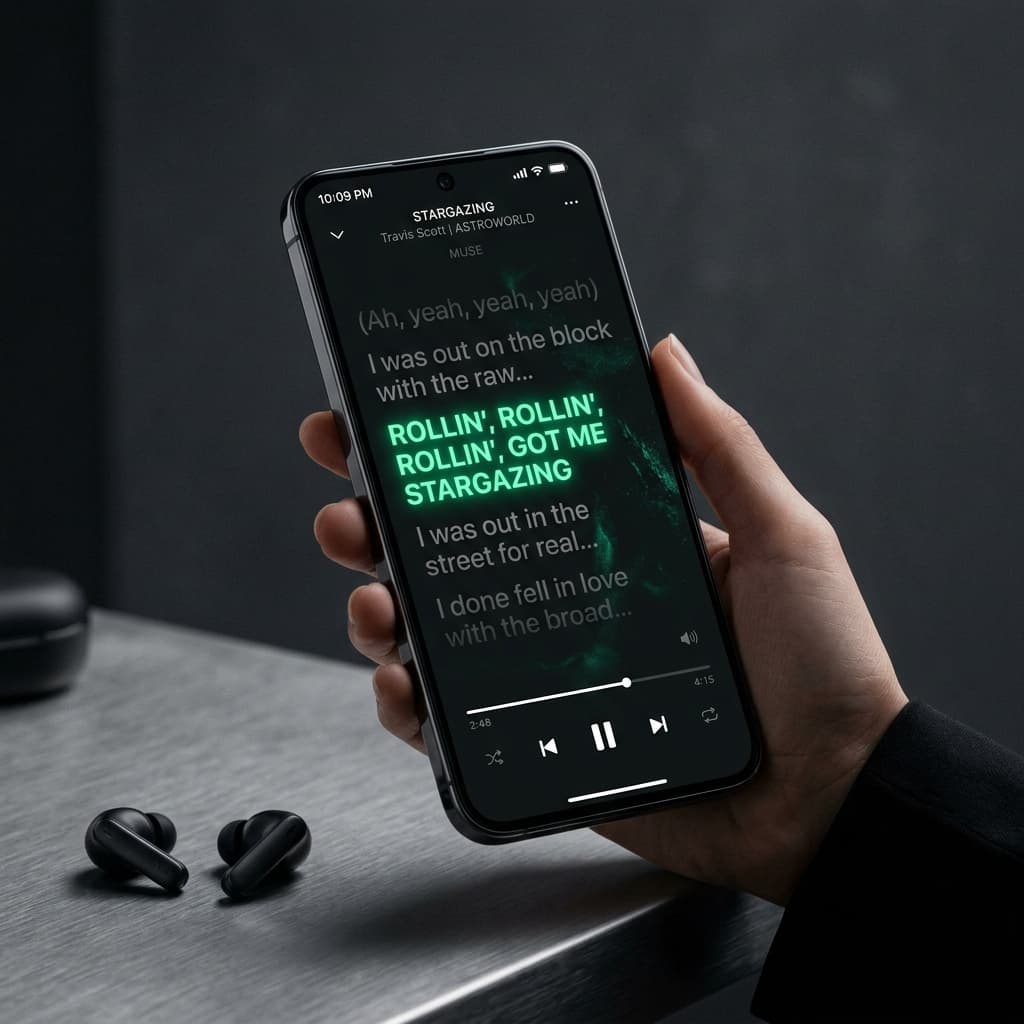
Lyrics synchronization is among the most technically demanding features of modern music clients. Static text scrolling is insufficient for immersive listening; users expect line-by-line active text highlighting aligned perfectly with the singer's vocal delivery.
The application implements a custom timestamp parsing engine that processes standardized LRC lyric files. LRC files encode timestamp markers (e.g. `[01:23.45] active line text`) preceding each line of text. The lyrics engine parses these strings into an indexed timestamp tree (`TreeMap<Long, String>`). During playback, an active position listener samples ExoPlayer's current playback position at 16ms intervals. The engine performs binary searches against the timestamp tree to identify the active line index instantly, firing recomposition triggers that smoothly scale, brighten, and auto-scroll the active lyric line into view.
In addition to line-by-line LRC timestamping, the lyrics engine supports word-by-word active highlighting when granular timing metadata is available. This enables a karaoke-style visual progression where individual words glow dynamically in tandem with vocal vibratos. The rendering engine computes spring physics animations for line transitions, ensuring that lyric scrolling exhibits smooth inertia and natural kinetic motion.
Cloud Playlist Synchronization & Local Cache Persistence
A music player is only as useful as its library accessibility. When authenticating, spotui establishes bidirectional synchronization with the user's music library.
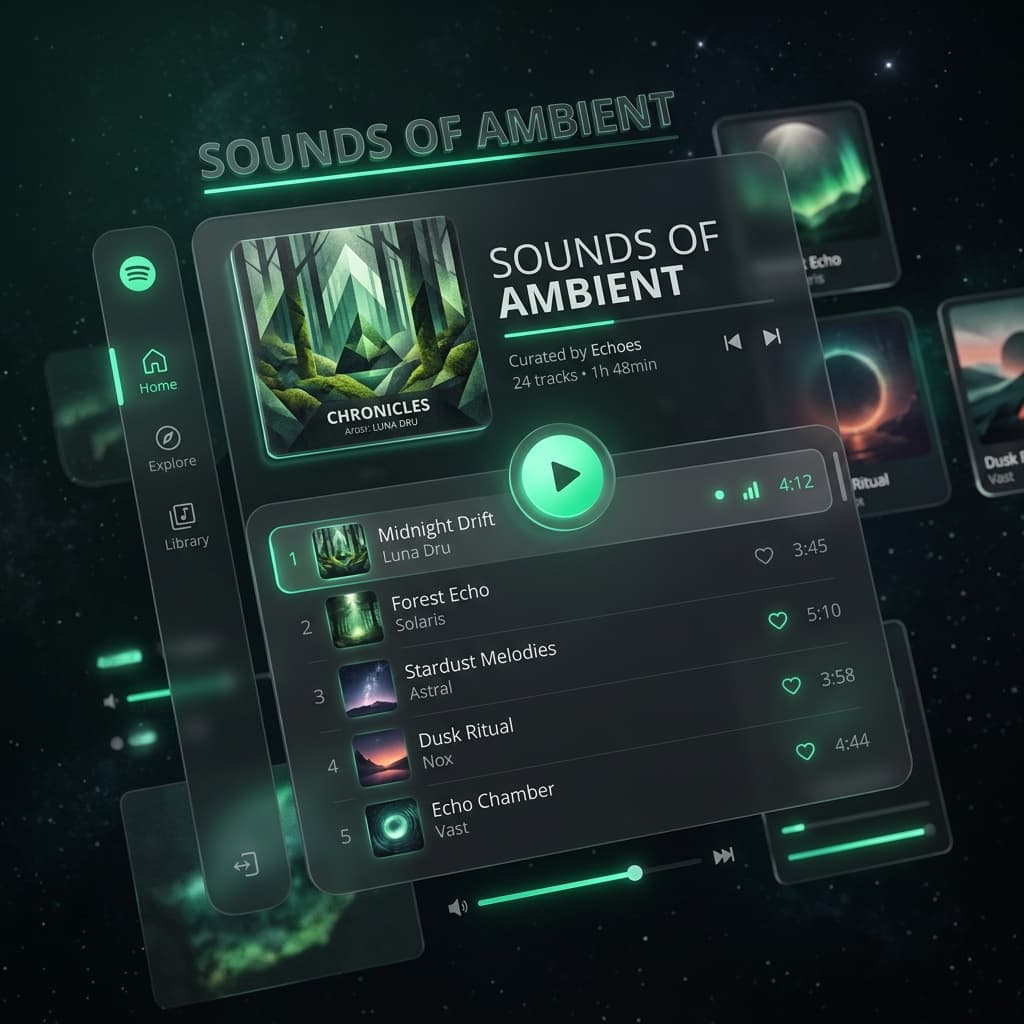
Playlists, liked songs, followed artists, and listening history logs are cached locally using room database persistence and fast key-value storage. This ensures that opening the app presents instant library loading without waiting for network round-trips. Furthermore, the client supports full playlist editing: users can add new tracks, create custom playlists, and reorder songs. Any mutations made locally are queued in an offline sync manager and executed against backend APIs seamlessly.
Local caching strategies are designed around an offline-first architecture. Track metadata, high-resolution album artwork, and timestamped lyrics are cached in an encrypted LRU (Least Recently Used) disk cache. When internet connectivity is lost during travel or low-coverage environments, the player transitions into local offline mode without interrupting active playback queues.
Advanced Audio Processing & DJ Crossfade Filters
Beyond standard track decoding, the application integrates specialized digital signal processing (DSP) features. Drawing inspiration and algorithms from open-source audio projects like SimpMusic, the media engine supports DJ-style automatic crossfading.
Standard media players insert abrupt 1-to-2 second silent gaps between tracks as old buffers flush and new streams open. The crossfade engine monitors the current track's remaining duration. When the countdown crosses a configurable threshold (e.g., 4 seconds), a secondary ExoPlayer instance pre-buffers the upcoming track. The audio mixer applies logarithmic volume attenuation to the outgoing stream while simultaneously ramping up the incoming stream, creating a smooth, nightclub-style mix transition.
Recommendation Algorithms & Track Radio Autoplay
The listening session should never abruptly terminate when a user reaches the end of a manually queued playlist. To maintain continuous playback flow, the application features an intelligent track radio autoplay mechanism.
When the manual queue empties, the app queries recommendation algorithms based on the acoustic profile, genre taxonomy, artist seed, and structural key of the preceding track. It automatically generates a dynamic continuation queue matching the algorithmic curation of open.spotify.com radio sessions. This allows users to discover new music effortlessly without manual queue management.
The recommendation engine evaluates multiple acoustic attributes—including danceability, energy levels, valence (musical positiveness), acousticness, and instrumentalness. By calculating Euclidean distance metrics across vector representations of candidate songs, the algorithm selects upcoming tracks that preserve the mood and energy curve of the current listening session.
Open-Source Integrity, Privacy, and Security
In an era dominated by corporate software telemetry, data monetization, and invasive user profiling, spotui stands out as a beacon of open-source integrity. Commercial music applications routinely log device identifiers, geolocation data, listening habits, and network environments to serve targeted advertisements.
This open-source client contains zero ad-serving SDKs, zero third-party analytical trackers, and zero telemetry data collection routines. The entire Kotlin source code is published openly on GitHub, allowing developers, security auditors, and users to inspect, compile, and verify every single line of code independently.
Cryptographic verification plays a crucial role in maintaining user safety across direct distribution networks. Each release binary is compiled inside deterministic build environments, enabling independent developers to compile identical APK binaries directly from master branch commits. By verifying SHA-256 cryptographic hashes prior to installation, users remain 100% protected against third-party binary tampering.
Distribution, Sideloading, and Android Installation Guide
Because the app is an independent open-source project, distribution takes place directly via APK packages rather than commercial application stores. This direct distribution model guarantees that updates, security patches, and performance refinements reach users instantly without waiting for app store review delays.
Sideloading an APK on Android is straightforward: users download the verified `.apk` package from the official release page, enable "Allow installation from unknown sources" in Android security settings for their browser or file manager, and complete the installation wizard in seconds.
Legal Disclaimer & Educational Context
It is vital to reiterate the project context: the software is created strictly for educational and research purposes to demonstrate advanced Jetpack Compose UI architecture, ExoPlayer service orchestration, and Kotlin Coroutine state flow patterns. It is an independent, non-commercial open-source project and is not affiliated with, endorsed by, or operated by Spotify AB.
Summary: The Future of Native Android Software
Ultimately, this project represents a masterclass in modern mobile software design. By combining high-performance Jetpack Compose UI composables, 24-bit lossless FLAC track resolving, millisecond synced lyrics rendering, and privacy-first open-source principles, an extraordinary music playback experience is delivered. As Android operating systems continue to evolve toward declarative frameworks, open-source projects like this showcase the benchmark for mobile audio software design.